Features · Reminders
Reminders and deadlines
Plinthos checks every apartment each morning and reminds the right person at the right moment. You see only what needs your decision.
14-day free trial · no card required
How the reminder system works
Rent follow-ups are the tail end of the payment flow: same states, same data.
Daily check across every apartment
Every morning the system reviews rents, pending confirmations, contracts and deadlines for all your apartments.
The right channel for each tenant
Tenants with the app get a push notification. Tenants without it get the same message on WhatsApp, using just a phone number.
Only what needs a decision
Confirmations, alerts and expiring deadlines reach you. Routine reminders go straight to tenants without involving you.
The life of an unpaid rent
A missed rent payment follows a fixed schedule, from due date to confirmation.
Due date
The rent is due. The tenant already received the month’s rent notice on the 1st.
First reminder
The unpaid rent turns late and the tenant receives the first automatic reminder.
Second reminder + your alert
A second reminder goes to the tenant, and you are alerted that the rent is still unpaid.
Payment and confirmation
The tenant marks the rent as paid and attaches proof. If you don’t confirm within 7 days, the system reminds you.
What the system tracks
Rent follow-ups
Unpaid rent turns late on day 5 with a first reminder to the tenant; a second reminder and an alert to you follow on day 10.
One-tap manual reminder
Send a reminder at any time with a standard message: “if you already paid, ignore this.”
WhatsApp for tenants without the app
A phone number is enough. These tenants get the new month’s rent notice and late reminders on WhatsApp, and can opt out themselves.
Contract deadline warnings
A warning fires 30 days before the contract end date, and a second, high-priority warning fires 7 days before.
Custom deadlines
Set your own advance notice per deadline, with a default of 30 days; a final warning always fires 7 days out.
Reminders for you
A payment marked by the tenant and awaiting your confirmation for more than 7 days is brought back to your attention.
Where deadlines come from
Contract-generated deadlines
Renewal and registration deadlines are created automatically when the contract is created, with the reminder already set.
Custom and recurring deadlines
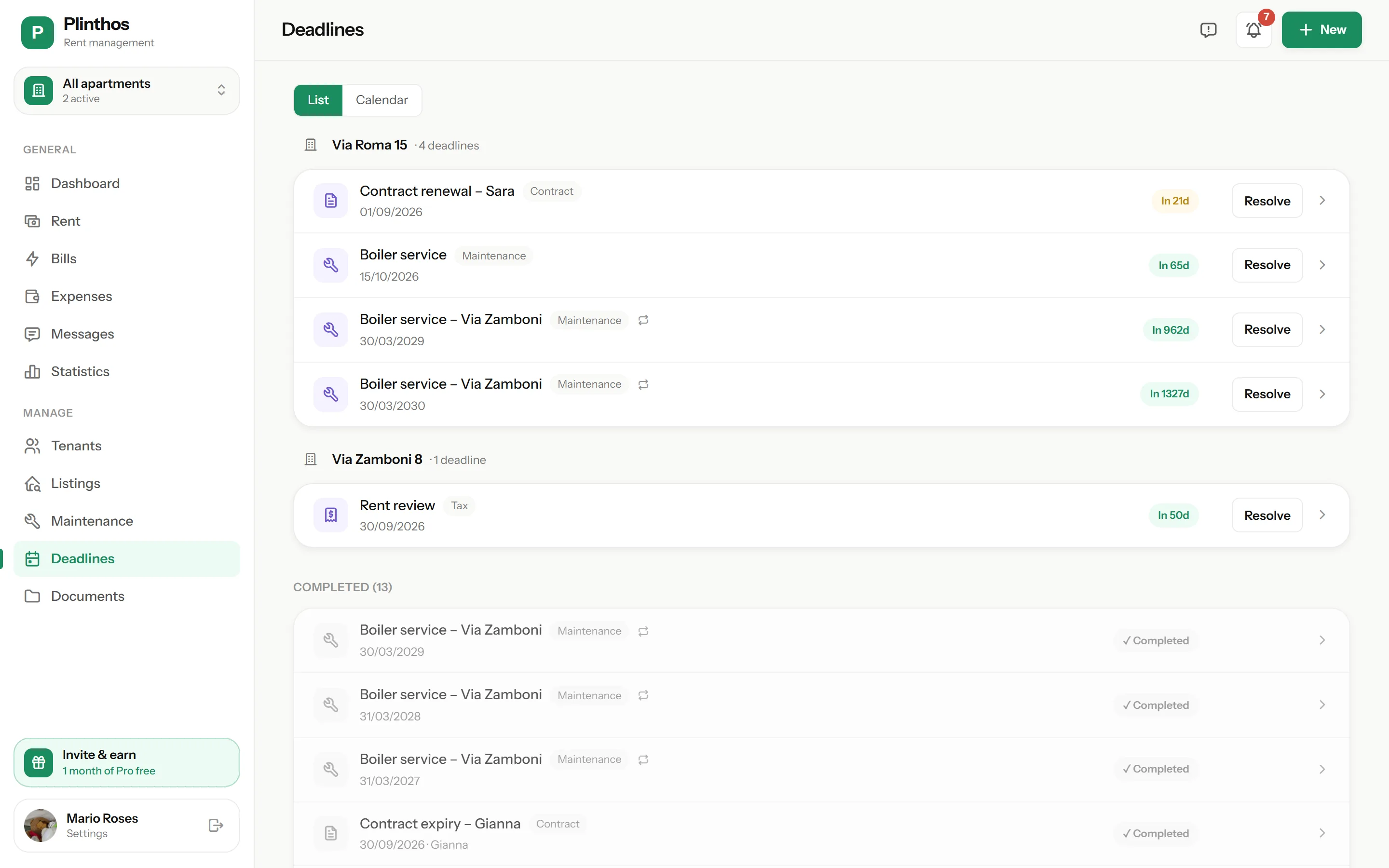
Add deadlines for registrations, maintenance or tax dates. Set them to repeat monthly, quarterly or yearly, so an annual boiler service returns on its own.
One calendar per apartment
Every deadline for an apartment appears in a single calendar with days remaining. Completed deadlines are archived.
Who gets notified, and when
Every reminder starts from a concrete event — a due date, a late payment, a share assigned — never a broadcast.
| Event | Who | When |
|---|---|---|
| Rent turns late | Tenant | Day 5 and day 10 after the due date |
| Rent still unpaid | You | Day 10 after the due date |
| New month’s rent | Tenant without the app | On the 1st, via WhatsApp |
| Payment awaiting confirmation | You | After 7 days unconfirmed |
| Contract expiring | You | 30 and 7 days before the end date |
| Custom deadline | You | Your chosen notice, and 7 days before |
Questions about reminders
Do I write the reminder messages?
Do tenants without the app get reminders?
Can I choose how far in advance I’m warned?
Do reminders cover bill shares too?
Do I get alerted, or only tenants?
Can tenants feel spammed?
Manage rent, payments and utility bills in one place.
No credit card required.
- 14 days free, full access — the trial starts when you add your first property
- No card at signup — you only enter payment details if you subscribe
- Tenants pay nothing — your subscription covers their accounts
- Less admin each month — rent, payments and utility bills are always up to date
* billed €71.99/year
Only if you subscribe at the end of your 14-day trial.